A pack heat has no lanes, so finish capture splits into two jobs that run side by side: one person records when each runner crossed, another records who they were. This walkthrough covers both positions, from setup through recording the results.
How large a field this handles. Flagging times keeps up with any number of runners. Recording bibs is what sets the limit, and about 30 finishers in a heat is what one recorder can stay ahead of in the chute today. Above that, keep tapping and record the times with the bibs left empty, then attach the athletes afterward. See field size in a pack heat.
Before the heat
On the starting line device, set up the heat as usual, choose the pack heat style, and set the event, gender, and age group. You do not assign bibs to lanes, because there are none.
Optionally attach the expected runners for the heat. This is the list of athletes you think will be in it, and it buys two things: the recorder's bib field autocompletes against it, and anyone on the list who never finished can be marked a no-show in one step. If your meet has a heat sheet, this is filled in for you along with the expected field size.
Choosing your function
Both finish operators join the meet in the Finish Line role, then pick a function on the pack finish screen:
- Flag Times — the sequence timer.
- Bib Recording — the recorder.
Tap Ready once you have chosen. The toolbar indicator changes to show your function (Pack Timer or Pack Rec) so it is obvious at a glance who is doing what.
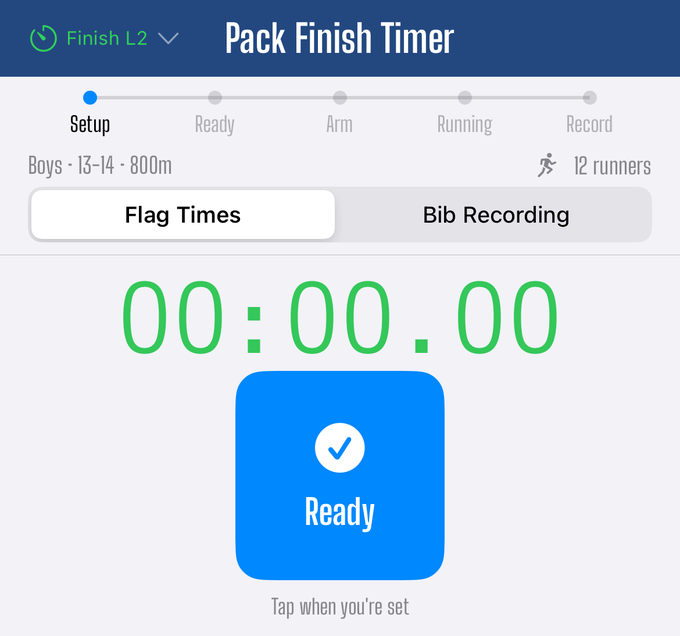
Position 1: flagging times
One big button, a running count, and the last few times. That is the entire screen, on purpose.
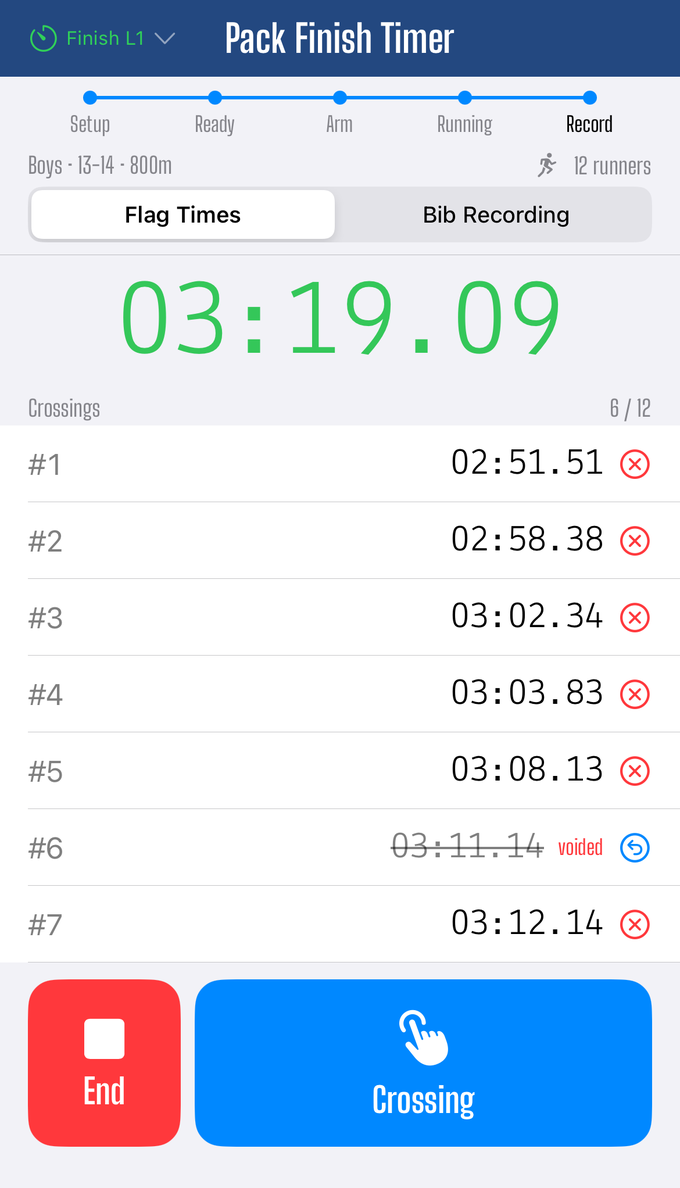
Tap once for each runner as they cross. Every tap records the moment they finished and gives it the next crossing number, which is never reused. The clock on screen counts up from the gun so you can see elapsed time, but you never have to work anything out yourself.
Two corrections are available:
- Undo last removes the most recent tap, available briefly right after it happens.
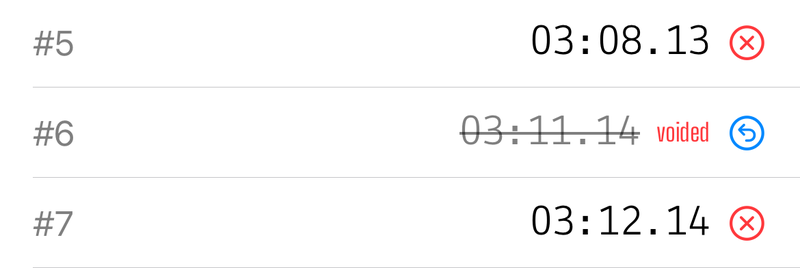
- Void #N marks a crossing as void after the fact. It does not renumber the ones after it.
Tap on the torso, not the bib. You are recording a crossing, not identifying a person. Never pause to work out who it was. The recorder handles that, and a crossing you are unsure about is still a real time.
If you are ever unsure whether you double-tapped, tap anyway and void it afterward. An extra crossing is easy to remove; a missed one cannot be recovered.
Position 2: recording bibs
The recorder sees one row per crossing, in the order they were tapped, each showing its place and elapsed time as soon as both the gun and the crossing are known.
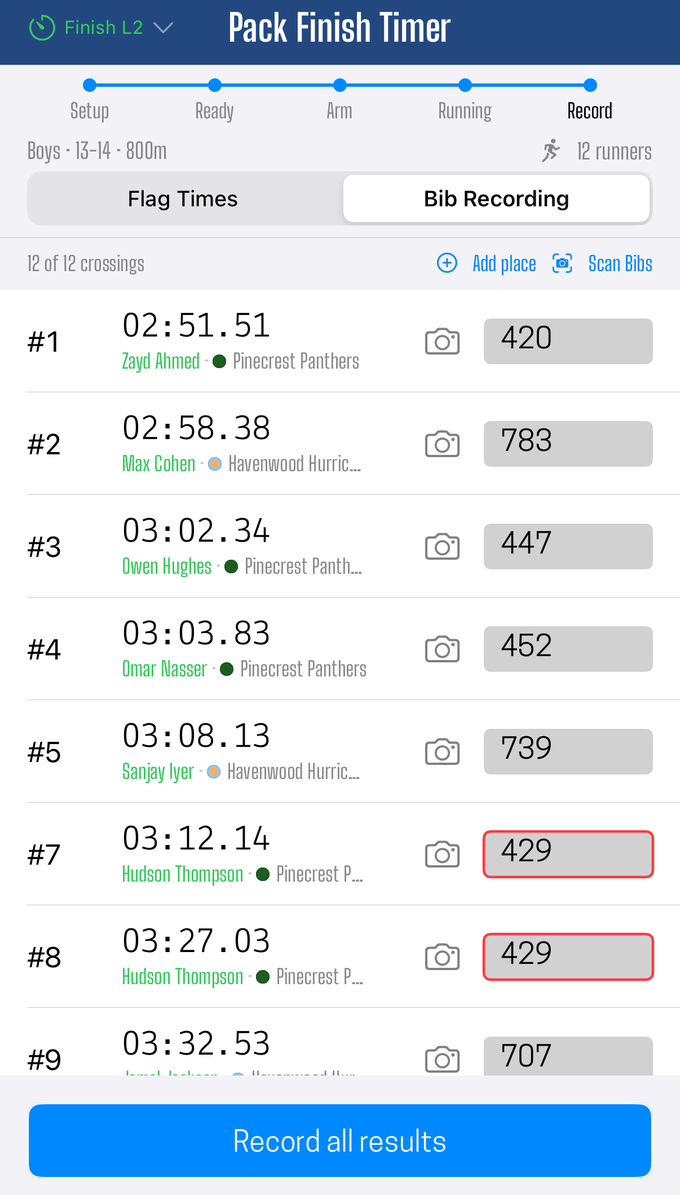
Fill in a bib per place. If expected runners were attached, typing autocompletes against them. The app checks as you type: a bib it does not recognize, one that does not match the heat's gender or age group, and the same bib entered twice all flag right away, with duplicates outlined in red.
If you have a helper at the chute, the Scan Bibs grid photographs each finisher, one slot per crossing labeled by place. Each photo is read automatically to fill in the bib, and the photo stays attached to the result so the record keeper can check it later. The camera icon on any row reopens that photo to correct it.
Recording the results
Tap Record. You can record them all at the end (the normal way) or a few at a time as you go.
Each crossing that was not voided becomes a finished result, with its official time measured from the gun. From that point on there is no difference between these and lane-heat results: the record keeper, the public results page, and every export format treat them exactly the same.
An empty bib on a recorded row is fine. It saves as a real time with an unknown runner, and the record keeper can attach an athlete to it later.
Common situations
| Situation | What to do |
|---|---|
| More crossings than expected runners | Record anyway. Extra crossings are real times; work out who they were after. |
| Fewer crossings than expected | Record, then mark the missing athletes as no-shows. |
| Two runners cross together | Tap twice in the order you saw them. Fix the order afterward if you got it wrong. |
| You lost count of who is who | Keep tapping. The recorder and the chute photos sort out who is who. |
| A crossing was not a finisher | Void that crossing. Places renumber; crossing numbers do not. |
After the heat
Everything can be fixed from the record keeper's device: swap a bib, change a place, or attach an athlete to a time with no name on it. Nothing you record here is final.
Did this answer your question? If something here is wrong, missing, or out of date, tell us at support@finishlinetimer.com and we’ll fix it.